DNA Test Payment Options: Cards, PayPal, Square, Klarna & Afterpay
GameDay DNA offers several payment options for eligible DNA testing services. You may be able to pay online by credit or debit card, through a PayPal or Square invoice, or with Klarna or Afterpay when those payment options are displayed at checkout or on your invoice.
At-home DNA test kits can be purchased through online checkout using the payment methods shown for the order. Legal DNA testing and prenatal paternity testing may be billed by invoice and can be paid through the payment methods available on that invoice.
Klarna, Afterpay, PayPal, and Square control their own payment options, customer eligibility, approvals, payment schedules, account terms, and any provider fees. GameDay DNA does not approve or decline payment-plan requests, set spending limits, or control third-party payment-provider decisions.
Non-invasive prenatal paternity testing, also called NIPP, requires a deposit when you order or schedule. Review the deposit, remaining balance, tax, shipping, collection, and appointment requirements before making payment.

How Can I Pay for DNA Testing?
GameDay DNA accepts the payment methods displayed at online checkout or on your invoice. Available methods can vary by DNA test type, order method, invoice amount, service location, payment-provider availability, and customer eligibility.
Payment Methods May Include
Credit cards
Debit cards
PayPal invoice payment
Square invoice payment
Klarna, when shown at checkout or on an eligible invoice
Afterpay, when shown at checkout or on an eligible invoice
Other payment methods shown on your specific checkout page or invoice
Use a Credit or Debit Card for DNA Testing
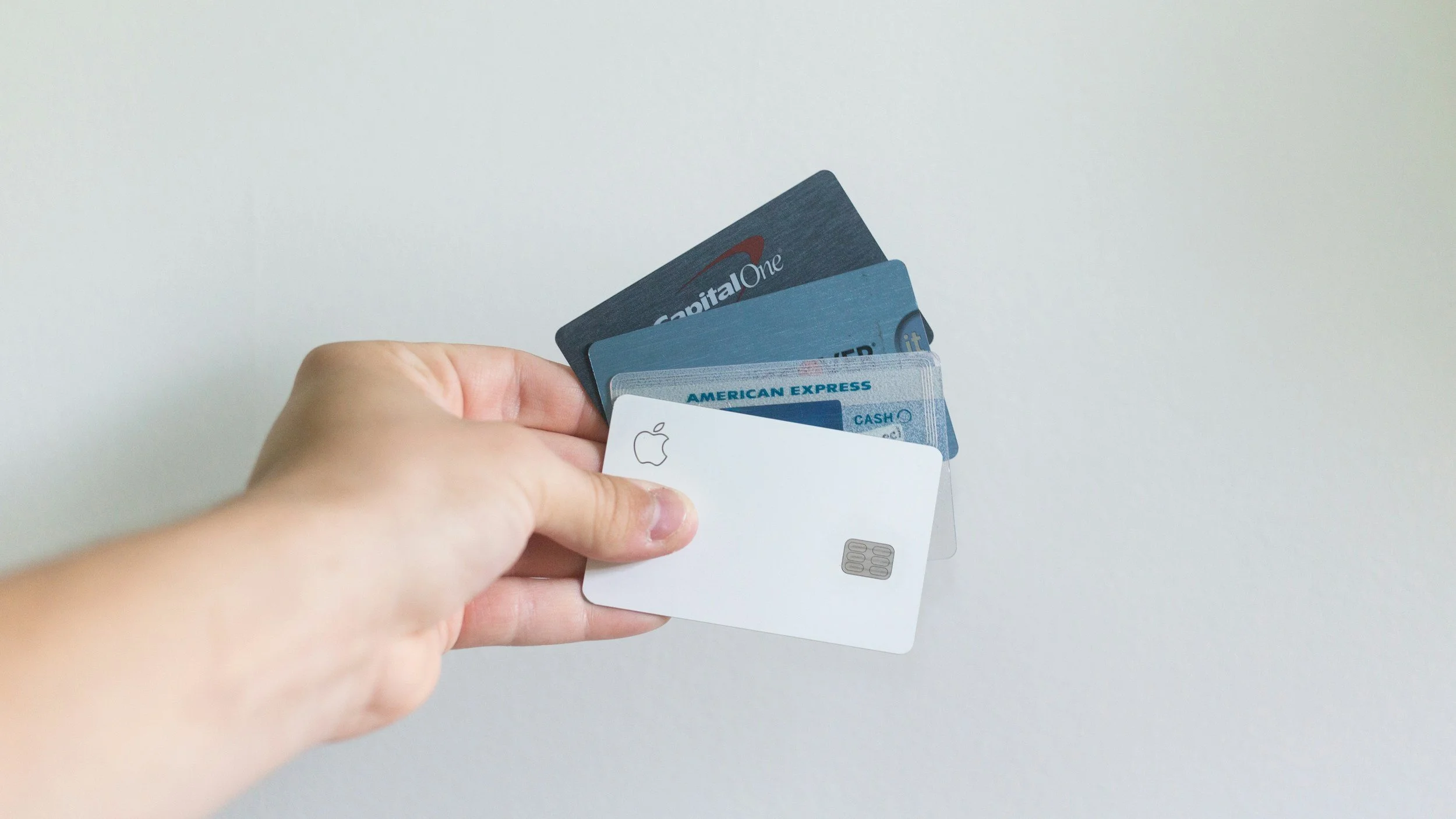
Credit and debit cards can be used for eligible at-home DNA test-kit orders and for invoices sent for legal DNA testing, prenatal paternity testing, or other available services. Enter your card information only through the secure checkout page or payment link provided by GameDay DNA, PayPal, or Square.
The final amount charged may include the price of the test, applicable sales tax, shipping, collection fees, deposits, additional participants, rush processing, or other case-specific charges. Review the complete order total or invoice before paying.
Before Paying by Card
Confirm the type of DNA test you are purchasing.
Confirm whether the test is legal or for personal knowledge only.
Review the number of included participants.
Review applicable sales tax, shipping, collection, and processing charges.
Review any required deposit and the remaining balance.
Confirm the cancellation, return, refund, and rescheduling terms.
Pay for DNA Testing Through a PayPal Invoice
GameDay DNA may send a PayPal invoice for eligible DNA testing services. When you receive the invoice by email, open the invoice link to review the amount due and the payment options available.
PayPal states that customers can pay an invoice with a debit card, credit card, or PayPal Wallet, and customers do not necessarily need a PayPal account to pay an invoice. The available payment choices are shown within the invoice.
What to Do When You Receive a PayPal Invoice
Open the invoice email from GameDay DNA or PayPal.
Review the test type, amount due, and invoice details.
Select the available payment method shown in the invoice.
Complete payment through the PayPal payment page.
Save your payment confirmation for your records.
PayPal Pay Later
PayPal may display Pay Later or installment options for eligible customers and purchases. If available, those options, payment schedules, approval decisions, and terms are provided directly by PayPal during the payment process.

Pay for DNA Testing Through a Square Invoice
GameDay DNA may send a Square invoice by email or text message for eligible legal DNA testing, prenatal paternity testing, or other services. Open the invoice link to review the amount due and select from the payment methods available for that invoice.
Square states that customers can pay an invoice online through a phone, tablet, or computer. Depending on the invoice and Square’s available options, payment methods may include debit or credit card, digital wallets, ACH bank transfer, Cash App Pay, or Afterpay.
What to Do When You Receive a Square Invoice
Open the Square invoice sent by email or text.
Review the service, amount due, deposit or balance details, and payment deadline.
Select an available payment option shown on the invoice.
Complete payment through the Square payment page.
Save your receipt or payment confirmation.
The payment methods shown on a Square invoice can vary. GameDay DNA does not control which payment options Square displays, your payment-provider eligibility, or approval for Afterpay or other third-party payment services.

Klarna and Afterpay for Eligible DNA Testing Purchases
Klarna and Afterpay may be available for eligible DNA testing purchases when they are displayed at online checkout or on a GameDay DNA invoice. At-home DNA test kits may show Klarna or Afterpay at checkout. Legal DNA testing and prenatal paternity testing may show Klarna or Afterpay on an eligible invoice.
Payment-provider availability, approval, repayment options, spending capacity, down payment, installment schedule, and terms are determined by Klarna or Afterpay—not GameDay DNA.
Klarna Payment Options
Klarna may provide payment options for eligible customers and transactions. If Klarna appears at checkout or on your invoice, select it to see the payment choices and terms available to you.
Klarna states that it makes a new automated approval decision for each purchase and does not rely on one fixed spending limit for every customer.
Afterpay Payment Options
Afterpay may be available for eligible purchases when it appears at checkout or on an invoice. If Afterpay is displayed, select it to review the payment schedule and terms available for your transaction.
Afterpay’s final payment schedule is provided when the purchase is completed. The schedule may include a down payment and additional installment payments, depending on the option offered.
Important Klarna and Afterpay Information
Approval is not guaranteed.
Available options can vary by order, invoice, customer, service, purchase amount, and provider requirements.
GameDay DNA cannot approve, decline, or override Klarna or Afterpay decisions.
GameDay DNA cannot raise a spending limit or change a payment schedule.
Review the provider’s terms before completing payment.
Contact Klarna or Afterpay directly for questions about account access, eligibility, approval, declined payments, repayment schedules, fees, or refund processing.

NIPP Prenatal Paternity Testing Deposits
A deposit is required to reserve a non-invasive prenatal paternity testing appointment or begin an at-home NIPP order. The deposit is applied toward the total cost of the test you select.
Review the current deposit amount, total price, remaining balance, applicable sales tax, shipping, maternal blood-draw arrangement, appointment requirements, cancellation terms, rescheduling terms, and any potential additional fees before scheduling.

Current NIPP Deposit Amounts
At-home NIPP test: $200 deposit
Informational in-office NIPP test: $200 deposit
Legal NIPP test: $400 deposit
Paying a NIPP Deposit
NIPP deposits may be paid using the payment methods shown at checkout or on the invoice you receive. Klarna, Afterpay, PayPal payment options, or Square payment options may be available only if they appear on your specific transaction.
If a payment option is not displayed at checkout or on the invoice, it is not currently available for that order or invoice.
Paying for Legal DNA Testing
Legal DNA testing may be billed through a PayPal or Square invoice. The invoice will identify the service, amount due, payment deadline, any required deposit, and the payment methods available for that transaction.
Legal testing uses professional collection, identity verification, and documented chain of custody for official-use cases. Your payment method does not change the legal collection, identification, or documentation requirements.

Before Paying for Legal DNA Testing
Confirm the exact DNA test you need.
Confirm the relatives or participants who must test.
Confirm the collection location and appointment time.
Confirm whether a court, attorney, agency, child-support office, or other organization has case-specific requirements.
Review the invoice total and payment deadline.
Review any deposit, collection-site fee, extra-participant fee, or rush-processing cost.
Confirm what happens if an appointment must be rescheduled or cancelled.
Legal DNA Testing and Payment Plans
Klarna or Afterpay may be available for an eligible legal DNA-testing invoice when shown as a payment option. GameDay DNA does not guarantee approval or control the payment choices provided by Klarna, Afterpay, PayPal, or Square.
Review Your DNA Testing Invoice Before Paying
The listed DNA test price may not be the final amount due. The total can depend on the service selected, number of participants, legal or non-legal collection, state and local sales tax, shipping, blood-draw arrangements, collection-site charges, mobile collection, rush processing, extra alleged fathers, or other case-specific needs.
Review your online checkout total or invoice carefully before payment. If you select a third-party payment option, review the provider’s schedule, terms, disclosures, and any required down payment before completing the transaction.
What Your Invoice or Checkout Should Show
DNA test or service selected
Whether the test is legal or non-legal
Number of included participants
Deposit amount, if required
Remaining balance, if applicable
Applicable sales tax
Shipping charges, if applicable
Collection fees, if applicable
Extra-participant or alleged-father fees, if applicable
Rush-processing charges, if selected
Payment deadline
Cancellation, refund, return, and rescheduling information
Refunds and Third-Party Payment Providers
Refund eligibility is determined by the GameDay DNA refund and return policy and the stage of the order or appointment. Eligibility may depend on whether a kit has shipped, an appointment has been reserved, samples have been collected, laboratory work has started, or another service has already been provided.
When a refund is approved for a payment made through PayPal, Square, Klarna, or Afterpay, it is generally issued to the original payment method. The payment provider manages any changes to the customer’s repayment schedule or account based on its own terms. Contact the provider directly for questions about how a refund affects your payment plan or account.
DNA Test Payment Options FAQs
-
GameDay DNA accepts payment methods displayed at checkout or on the invoice for your specific order. Options may include credit cards, debit cards, PayPal invoices, Square invoices, Klarna, Afterpay, and other methods shown for that transaction.
-
Yes. Credit and debit cards may be used for eligible at-home kit purchases and invoice payments. Use the secure checkout link or invoice-payment link provided for your order.
-
If GameDay DNA sends you a PayPal invoice, open the invoice link to see the payment methods PayPal makes available. PayPal states that customers may be able to pay an invoice using a debit card, credit card, or PayPal Wallet, and a PayPal account is not always required.
-
If GameDay DNA sends you a Square invoice, open the email or text link to view the payment options displayed for that invoice. Square invoices can be paid online, and available options may include card payments and other methods that Square displays for the transaction.
-
Klarna may be available for eligible at-home DNA test kits at checkout and eligible legal or prenatal DNA testing invoices. If Klarna appears as an option, select it to review the payment choices and terms available for your transaction. Klarna makes its own approval decisions.
-
Afterpay may be available for eligible at-home DNA test kits at checkout or eligible invoices. If Afterpay is displayed, select it to view the payment schedule and terms available for your order. Afterpay determines eligibility and payment terms.
-
No. Klarna and Afterpay independently determine customer eligibility, approval, available payment options, spending capacity, and repayment terms. GameDay DNA cannot approve a request, increase a spending limit, override a declined payment, or change a provider’s payment schedule.
-
Third-party payment options may not be available for every customer, order, invoice, purchase amount, service, or location. If an option is not shown at checkout or on your invoice, it is not currently available for that transaction. Contact the relevant provider directly for questions about its eligibility requirements.
-
Yes. Current NIPP deposits are $200 for at-home and informational in-office prenatal paternity testing and $400 for legal prenatal paternity testing. The deposit is applied toward the selected test. Review the remaining balance and all applicable charges before booking.
-
Klarna or Afterpay may be available for eligible NIPP invoices only when shown as a payment option. Approval and payment terms are controlled by the payment provider and can vary by invoice.
-
Klarna or Afterpay may be available for eligible legal DNA-testing invoices when displayed. The payment provider determines approval, payment schedule, and terms. Legal DNA collection requirements remain the same regardless of how you pay.
-
Depending on the service, your total may include applicable sales tax, shipping, professional collection fees, mobile collection, maternal blood-draw arrangements, additional participants, additional alleged fathers, rush processing, or other case-specific charges. Review your checkout total or invoice before payment.
-
Cancellation, rescheduling, refunds, and returns are governed by the GameDay DNA policy and can depend on whether a kit has shipped, an appointment has been reserved, collection has occurred, or laboratory work has begun. Contact GameDay DNA as soon as possible if your plans change.
-
Contact GameDay DNA for questions about your DNA test, appointment, deposit, invoice amount, or services ordered. Contact PayPal, Square, Klarna, or Afterpay directly for questions about account access, approval, payment schedule, repayment, provider fees, declined payments, or how a refund affects your account.
Choose a Payment Option for Your DNA Test
Start by selecting the DNA test that matches your needs. At-home kits are for personal knowledge, while legal DNA testing is intended for official-use cases requiring professional collection, identity verification, and documented chain of custody. Prenatal paternity testing requires a deposit to begin the process.
Review the payment methods available at checkout or on your invoice. If you are unsure which DNA test, appointment type, deposit, or payment option is right for your situation, contact GameDay DNA before making payment.